Free desktop app for Windows and Linux. No cloud.
Your own videos,
finally browsable.
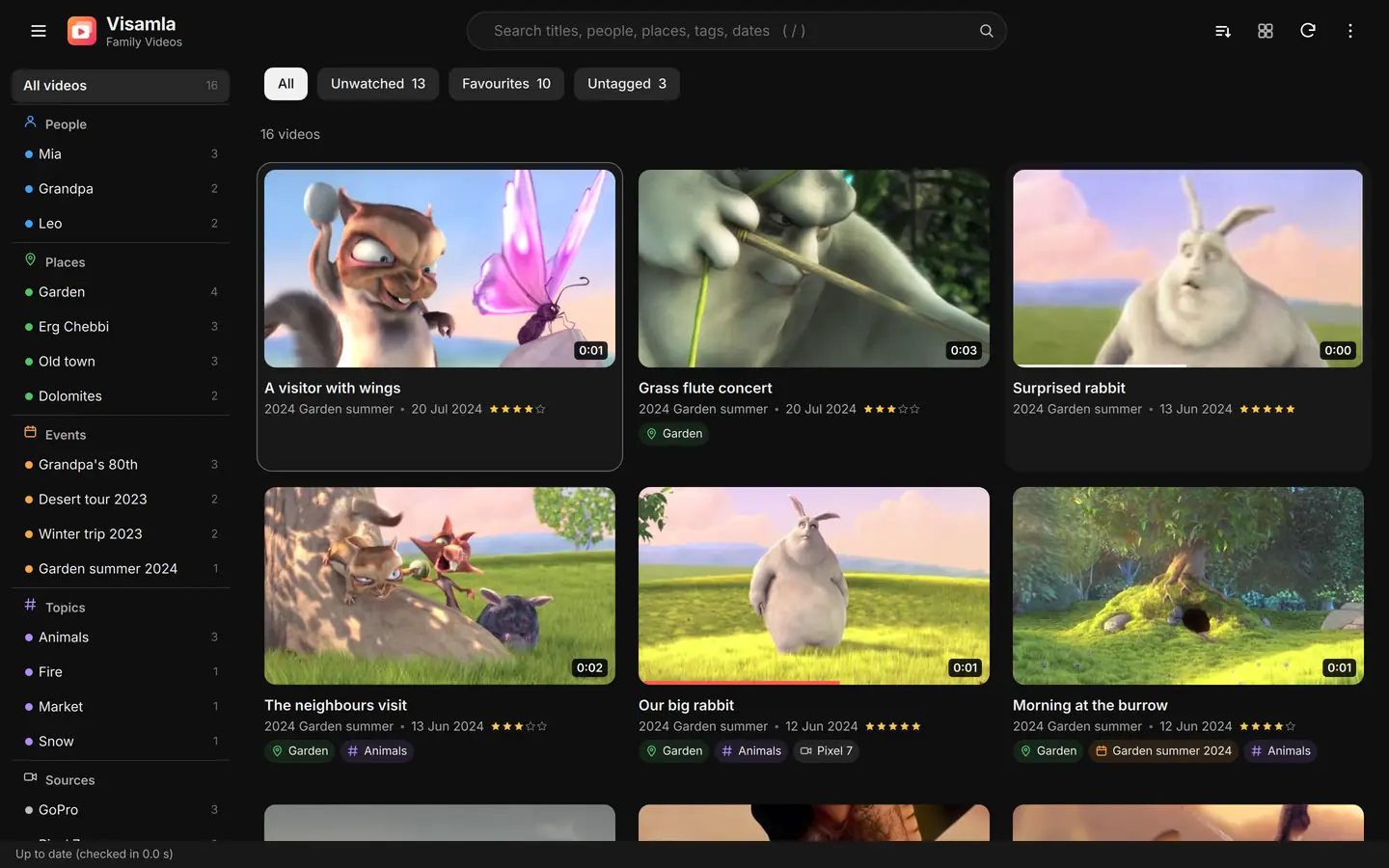
Visamla turns a folder of anonymous video files into a gallery you actually come back to: thumbnails that skim on hover, titles, people, places, events and a proper player. Everything stays on your computer.
The problem
Phones and cameras name videos like this. Nobody ever opens them again.
- 00013.mp4
- VID_20230520_183020.mp4
- GX010042.MP4
- WP_20170624_12_56_30_Pro.mp4
- MVI_0042.MTS
- PXL_20240612_072210.mp4
With Visamla
A title, a date and who was there.

Grandpa tells the tower story
20 May 2023
Sunset flight
8 Jul 2023

Our big rabbit
12 Jun 2024
Built for your own collection
Holidays, birthdays, the kids, digitised camcorder tapes. Everything a streaming site does for its films, Visamla does for yours.
Skim on hover
Move the mouse across a thumbnail to flick through the whole video before you open it.
People, places, events
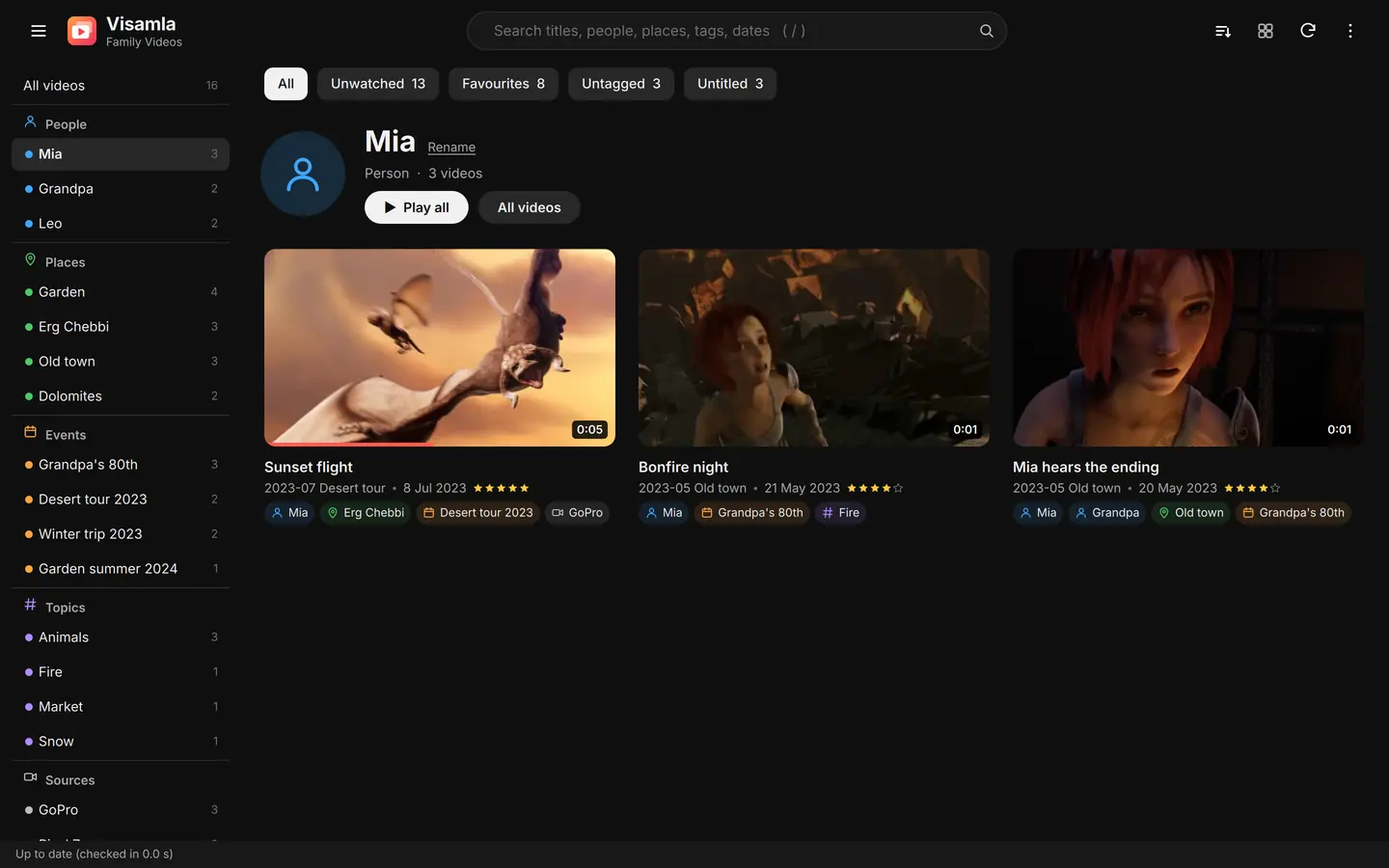
Typed tags with their own colours. Every person, place and event gets a page with all its videos.
Search that knows your tags
Titles, file names, folders, descriptions, tags and dates. Matching people and places are suggested as you type.
A real player
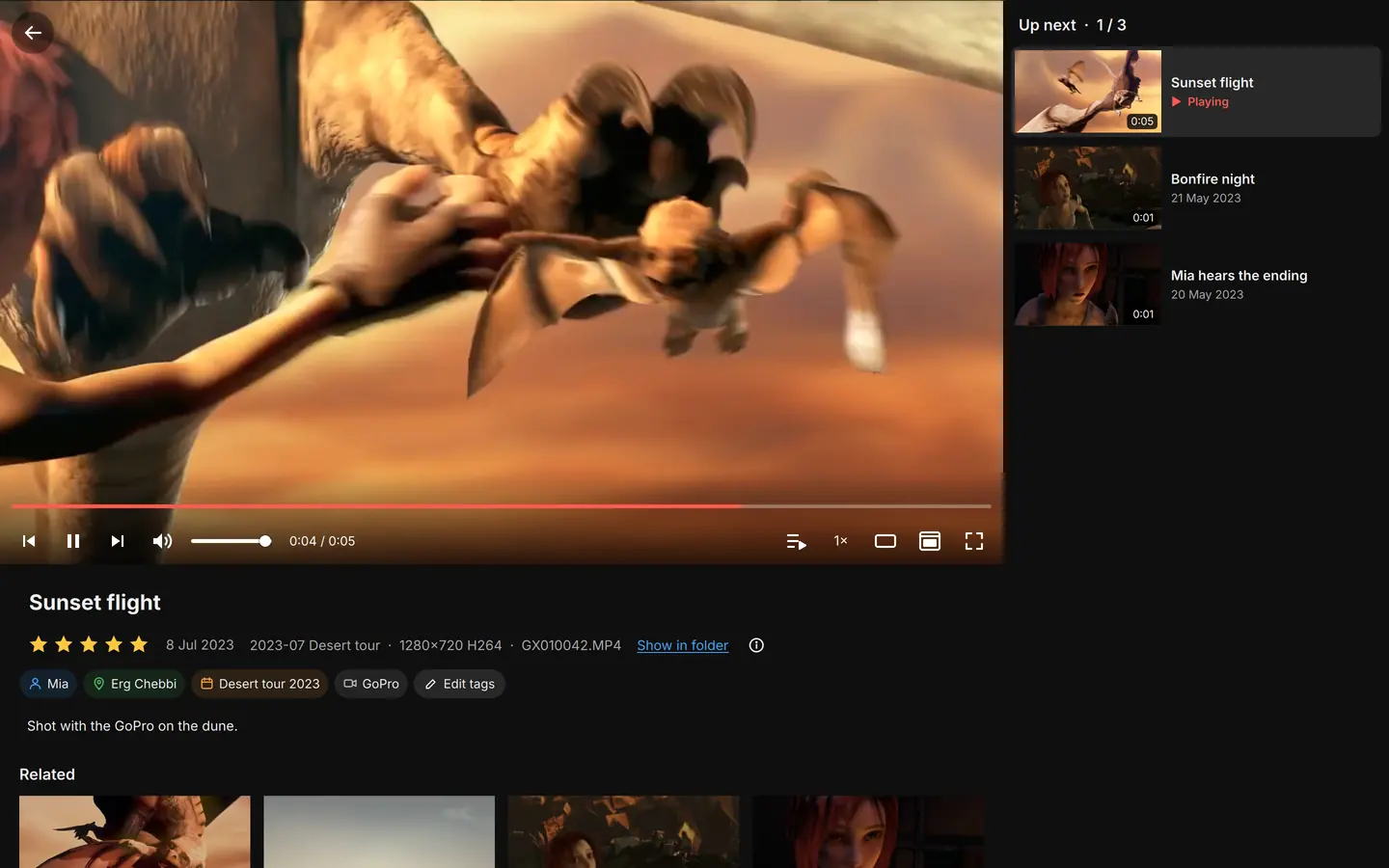
Built on libmpv: storyboard seek preview, frame steps, speed, resume, autoplay, wide mode and full screen.
Views for every collection
Large, medium or small tiles, a list, a folder view and a folder tree. Quick filters for unwatched, favourite, untagged and untitled videos.
Names that make sense
An optional pattern turns titles, dates and tags into file and folder names, and reads them back from new files.
Every format you shot
MP4, MOV, MKV, camcorder MTS and M2TS, AVI, WMV, 3GP, MPG and VOB. If mpv plays it, Visamla shows it.
Fast by keyboard
Arrow keys through the grid, / to search, T to tag, Ctrl+1 to 5 to rate. F1 lists every key.
Every person gets a page
Tag who is in a video, where it was and what happened. Click any tag and you see all of its videos, newest first, ready to play in a row. Combine tags to find "Mia at Grandpa's birthday" in two clicks.
A player made for skimming
Hover the seek bar for a preview, drag to jump, press a number to go to 10 to 90 percent. When a clip ends, the next one starts. Rate with the keyboard, add people with T, and write what happened while it plays.
Find it by anything you remember
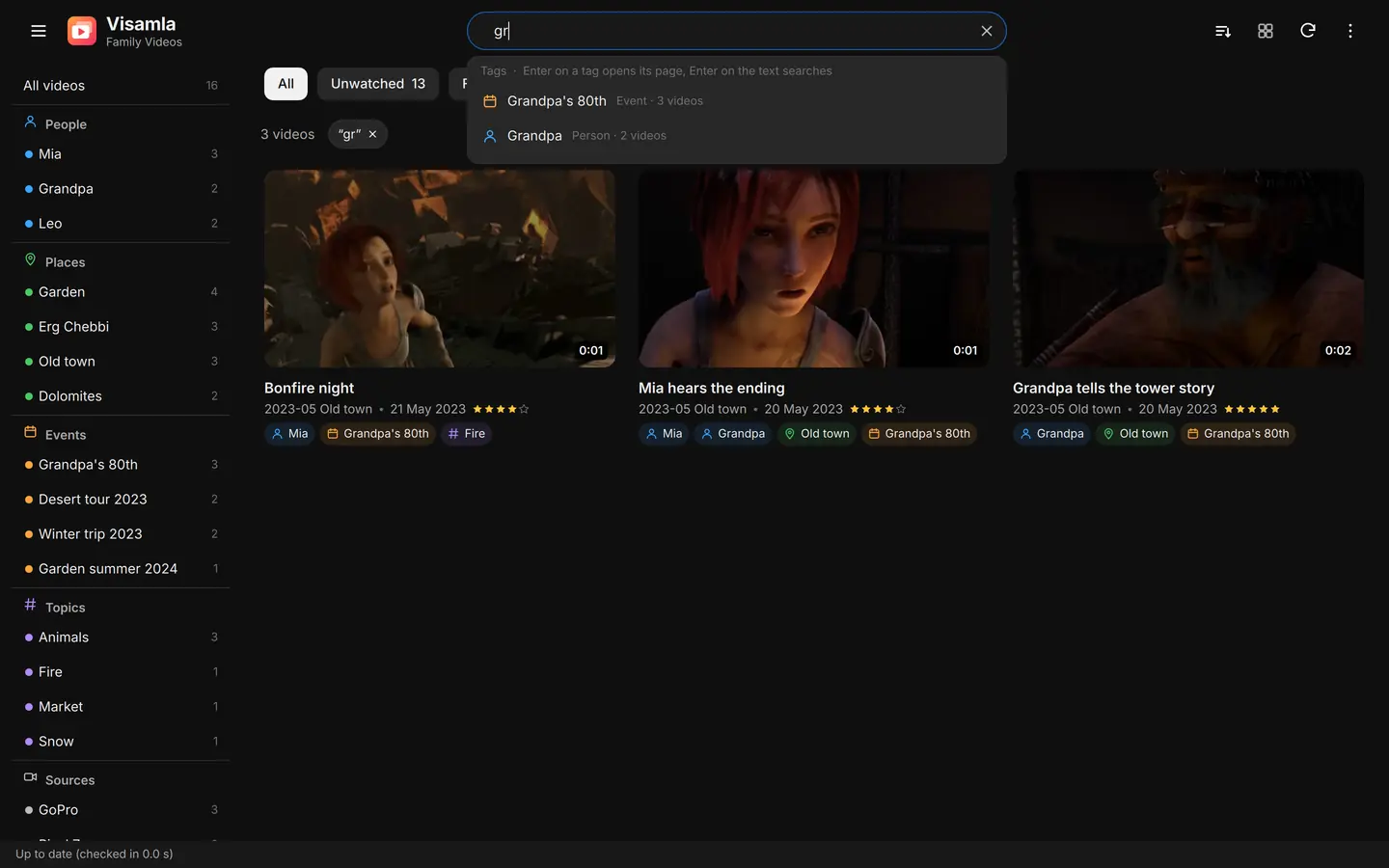
Type two letters and Visamla suggests the people, places and events that match. Search also covers titles, descriptions, folders, file names and dates like "May 2023".
Folders that sort themselves
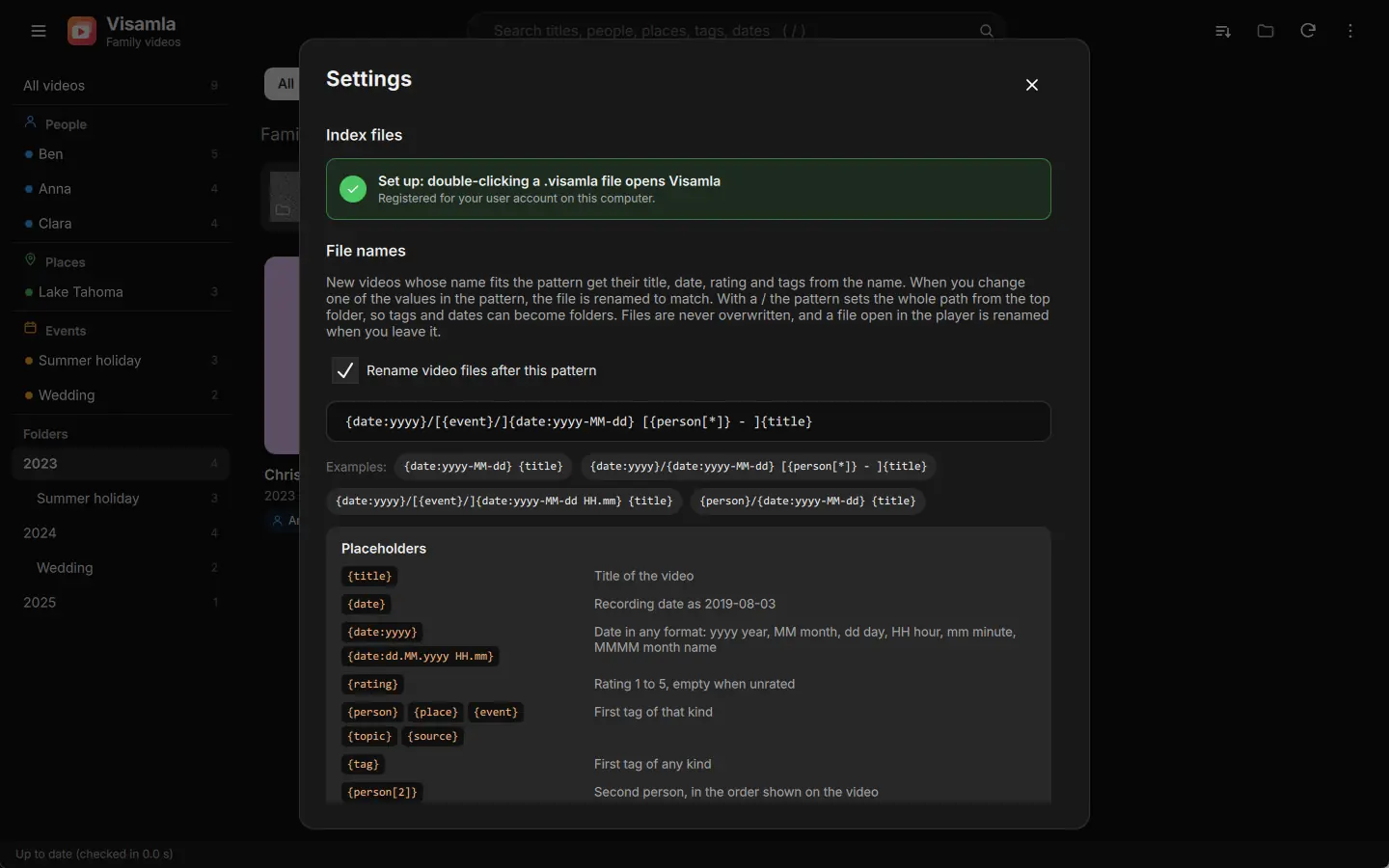
Optional: describe your naming once, for example {date:yyyy}/[{event}/]{date:yyyy-MM-dd} {title}.
Visamla reads titles, dates and tags from new files that follow it, and renames files when you change their
title or tags. Nothing is ever overwritten.
One file. That's the whole setup.
- 1
Choose the folder with your videos.
Visamla scans all subfolders and builds thumbnails and storyboards in the background. You can browse while it works.
- 2
Visamla writes one index file into it.
Titles, tags, ratings and thumbnails all go into "Family Videos.visamla". Your videos stay where they are.
- 3
Next time, double-click that file.
The gallery opens at once. A quick background check picks up new, moved and deleted videos.
📁 Family Videos
📁 2023-02 Winter trip
📁 2023-05 Old town
📁 2023-07 Desert tour
📁 2024 Garden summer
 Family Videos.visamla ← everything Visamla knows
Private by design
No account, no server, no cloud. Visamla never uploads a thing.
Your files stay yours
Videos are never modified or moved unless you turn on a naming pattern. The index is a plain SQLite file.
Works on your NAS
Network shares, mapped drives and Linux mounts. Relative paths keep one index usable from every computer.
Plays what your cameras recorded

Get Visamla
Free, no account needed.
Windows
Windows 10 and 11, 64-bit. Portable folder, no installer.
Coming soonLinux
AppImage for x86-64. Runs on most current distributions.
Coming soonQuestions
Does Visamla change my video files? +
No. Titles, tags, ratings and thumbnails live in the index file. Files are only renamed if you turn on a file name pattern, and existing files are never overwritten.
Where is everything stored? +
In one file next to your videos, named after the folder, for example "Family Videos.visamla". It is an SQLite database. Copy the folder to another disk or computer and the gallery goes with it.
Does it work with a NAS or network share? +
Yes. Paths in the index are relative, so the same index opens through a Windows network path, a mapped drive or a Linux mount. One person should edit at a time.
Does it need an account or the internet? +
No. Visamla has no account, no server and no cloud. It never uploads anything.
What does it cost? +
Nothing. Visamla is free software under the GPL-3.0-or-later licence.